
 Anthropic
Claude Code is Anthropic's agentic coding tool: an AI software engineer that lives in your terminal, reads and edits real files across an entire repository, runs commands, and works through multi-step engineering tasks largely on its own. Where the Claude chat app is a place to think, plan, and paste snippets, Claude Code is where the work actually lands: directly in your codebase, with your tests, your git history, and your build tools all within reach.
It represents a shift in how developers use AI. Instead of copying code out of a chat window and pasting it back into your editor, you describe the change you want in plain language and Claude Code does it: locating the right files, making coordinated edits across many of them, running the test suite, fixing what breaks, and committing the result if you ask. A human stays firmly in the loop, approving actions and steering the work, but the heavy lifting is delegated.
This guide covers everything that matters about Claude Code in 2026: what it is and how it works, where you can run it, the features that make it powerful, how it compares to tools like GitHub Copilot and Cursor, what it costs across the Pro, Max, and API options, and the real workflows where it shines. By the end you will know exactly when to reach for it.
What Is Claude Code?
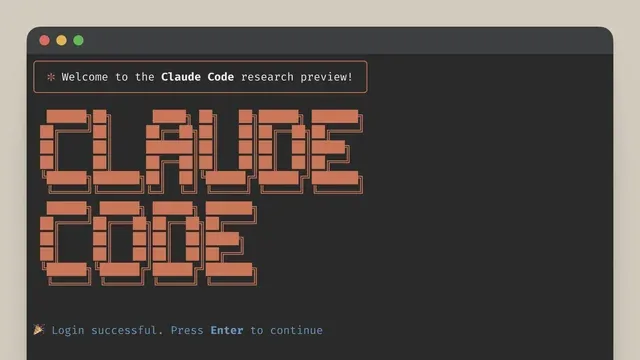
Claude Code is a command-line tool built by Anthropic that turns the Claude models into an autonomous coding agent. You install it, point it at a project, and talk to it the way you would brief a capable colleague: "add pagination to the users endpoint," "find why the checkout test is flaky," or "upgrade this project to the new framework version." Claude Code then explores the codebase, reasons about what needs to change, and carries out the work, editing files, running commands, and reporting back as it goes.
What separates it from an autocomplete plugin is agency. A traditional AI coding assistant suggests the next few lines as you type. Claude Code operates at the level of a whole task: it can open dozens of files, trace a bug across modules, edit several of them in a coordinated way, run the tests, read the failures, and iterate until the task is done. It understands your project as a system rather than guessing from the single file in front of you.
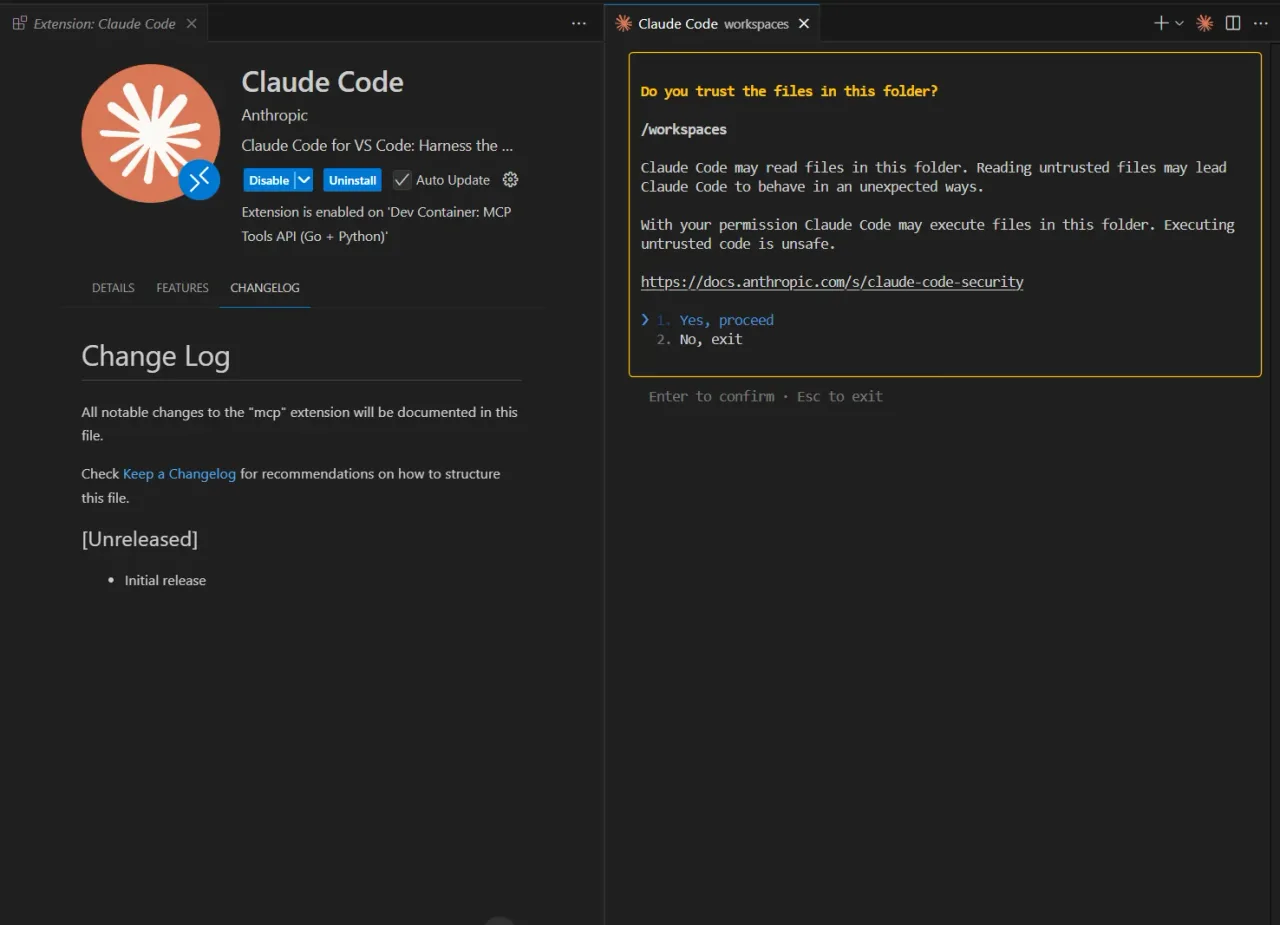
It is powered by the same frontier Claude models that top independent software-engineering benchmarks, so the quality of the code and the reasoning behind it is high. Crucially, it is designed to be safe by default: Claude Code asks for your permission before it edits files or runs commands, so nothing happens to your codebase without your say-so.
How Claude Code Works
Using Claude Code feels less like prompting a chatbot and more like pair-programming with an agent. A typical task flows through a few clear stages.
- You describe the goal in plain language at the prompt: a feature to add, a bug to fix, a refactor to perform, or a question about how something works.
- Claude Code explores the codebase, searching files and reading the relevant code to build an understanding of how your project is structured before touching anything.
- It proposes a plan and the edits it intends to make, then asks for your approval before writing to files or running any command.
- It executes: editing multiple files, running the build or test suite, reading the output, and fixing what breaks, looping until the task is complete.
- It hands back control, having optionally staged or committed the changes in git, so you can review the diff, ask for adjustments, or move on.
Because it works against your real files and tools, the result is verifiable. You are not trusting a wall of generated text; you are reviewing a git diff and a passing test run, the same artifacts you would scrutinize from a human teammate.
Where You Can Run It
Claude Code started in the terminal and has since spread to wherever developers work. The same agent is available across several surfaces.
| Surface | What it is |
|---|---|
| Terminal / CLI | The original and most powerful surface: a command-line tool you run inside any project on macOS, Linux, or Windows. |
| IDE extensions | Native integrations for VS Code and JetBrains IDEs, putting the agent next to your editor with inline diffs and context from your open files. |
| Desktop & web | Claude Code is available in the Claude desktop app and on the web at claude.ai/code, so you can kick off and monitor tasks without a terminal. |
| GitHub & CI | It can run in GitHub Actions and other pipelines: tag it on a pull request or issue to triage, review, or implement changes automatically. |
| The Agent SDK | A software development kit lets teams embed the same agent into their own tools, scripts, and internal automations. |
Core Features That Set Claude Code Apart
Beyond the underlying model intelligence, Claude Code ships a set of features that turn it from a smart prompt into a genuine engineering tool.
1. Whole-Codebase Understanding
Claude Code maps your project on demand. It searches and reads only the files relevant to the task rather than trying to cram your entire repository into context, which means it works well even on large codebases. Ask it "where is authentication handled?" and it will trace the answer across the files that matter, then use that understanding to make changes that respect your existing patterns.
2. A Permission Model You Control
Safety is built into the workflow. By default Claude Code asks before it edits a file or runs a command, and you can tune how much autonomy it has: approving each step, allow-listing trusted commands, or letting it run more freely on a throwaway branch. This keeps a human in control of anything that touches your code, your dependencies, or your environment.
3. CLAUDE.md: Project Memory
You can drop a CLAUDE.md file into a repository to give the agent persistent context: your conventions, architecture notes, commands to run, and rules to follow. Claude Code reads it automatically at the start of every session, so it behaves like a teammate who already knows the house style instead of one you have to brief from scratch each time.
4. Subagents, Slash Commands, and Hooks
For bigger jobs, Claude Code can spin up specialized subagents that work in parallel on independent parts of a task. Custom slash commands let you save reusable prompts and workflows, while hooks let you run your own scripts at defined points, for example formatting code or running a linter automatically after every edit. Together these turn it into a programmable, team-shaped tool rather than a fixed assistant.
5. MCP: Connecting to Your Tools
Claude Code speaks the Model Context Protocol (MCP), the open standard Anthropic created for connecting AI assistants to external systems. Through MCP servers it can reach beyond the codebase (querying a database, reading your issue tracker, pulling design files, or calling internal services) so it can act on live information from the tools you already use.
6. Plan Mode and Extended Thinking
For risky or far-reaching changes you can ask Claude Code to plan first and act second: it researches the codebase and lays out a step-by-step approach for you to approve before it writes a single line. Paired with the Claude models' extended-thinking ability on hard problems, this makes it far more reliable on large refactors and migrations than a tool that dives straight into edits.
How Claude Code Compares to Copilot and Cursor
Claude Code sits in a fast-moving category of AI coding tools. The clearest way to place it is by how much of the work it takes on.
| Claude Code | GitHub Copilot | Cursor | |
|---|---|---|---|
| Primary model | Agentic task completion across the whole repo | Inline autocomplete plus an agent mode | AI-native editor with chat and agent features |
| Lives in | Terminal, IDEs, web, CI, and an SDK | Your editor (VS Code, JetBrains, and more) | A dedicated fork of VS Code |
| Greatest strength | Autonomous, multi-step engineering with model quality | Frictionless in-editor suggestions | A polished all-in-one AI coding environment |
| Underlying models | Frontier Claude models, top-ranked for coding | A choice of models including Claude | A choice of models including Claude |
The short version: reach for Claude Code when you want to hand off a whole task and get back a reviewable diff, especially from the terminal or inside automation. Copilot shines for moment-to-moment autocomplete as you type, and Cursor packages AI into a complete editor. Many developers happily run more than one: Copilot or Cursor for keystroke-level help, Claude Code for the heavier, agentic jobs.
Pricing and Plans
Claude Code is not available on the free Claude plan; it requires a paid subscription or API credits. The good news is that it is bundled into the standard Claude subscriptions, so most users do not pay for it separately. Prices below are the standard published rates; always confirm current pricing on the official site before subscribing.
| Plan | Roughly | Who it is for |
|---|---|---|
| Pro | ~$20 / month | Individual developers: Claude Code in the terminal, IDEs, web, and desktop, with access to Sonnet and Opus, suitable for most day-to-day use. |
| Max | ~$100 to $200 / month | Heavy users: much higher usage limits (5x Pro and up), priority access, and the most capable models for all-day agentic work. |
| Team | from ~$100 / seat / month | Organizations: Claude Code is included on Premium team seats, with admin controls and collaboration features. |
| API | Usage-based | Developers who prefer pay-per-token billing with no monthly minimum, billed per million tokens through the Anthropic Console. |
For most individuals the Pro plan is the natural entry point, and it is the same $20 subscription that unlocks the Claude chat app, so Claude Code effectively comes along for free. Power users who run the agent for hours every day step up to Max for the higher limits. Teams building Claude Code into their pipelines, or anyone who wants granular cost control, use the Claude API and pay only for the tokens they consume. Note that Anthropic has been separating interactive, human-in-the-loop usage from fully autonomous runs on subscription plans, so very heavy automated workloads may be better suited to the API.
Real-World Use Cases
Claude Code has found a home in a wide range of engineering workflows.
Shipping Features and Fixing Bugs
The bread-and-butter use is implementing changes end to end: adding an endpoint, wiring up a new UI component, or hunting down a bug from a stack trace. Because Claude Code can run your tests and read the failures, it closes the loop itself: you review a working, tested diff rather than a hopeful suggestion.
Refactors and Migrations
Large, mechanical-but-careful changes are where the agent earns its keep: renaming a concept across hundreds of files, upgrading a framework version, or untangling a tightly coupled module. With plan mode it lays out the approach first, then grinds through the change consistently, something that is tedious and error-prone by hand.
Understanding Unfamiliar Code
New to a codebase? Ask Claude Code how a feature works, where a value comes from, or why a test exists, and it will trace the answer through the actual source. It is a fast way to onboard onto a legacy project or a teammate's repository without reading every file yourself.
Automation in CI
Running in GitHub Actions, Claude Code can triage incoming issues, draft fixes, review pull requests, or keep dependencies current, turning routine maintenance into automated background work that a human still approves before it merges.
Limitations to Keep in Mind
Claude Code is powerful, but it is a tool to direct rather than a replacement for engineering judgment.
| Limitation | What to know |
|---|---|
| Requires a paid plan | There is no free tier; you need a Claude Pro or Max subscription, a Premium team seat, or API credits to use it. |
| Review is still on you | It can make sweeping changes quickly. Always read the diff and run the tests; do not merge agent output unseen, especially on critical code. |
| Costs scale with use | Heavy, all-day agentic work consumes a lot of tokens or usage allowance. Match your plan to your real workload to avoid hitting limits. |
| Best with good context | It performs far better on well-structured projects with clear tests and a CLAUDE.md. On chaotic codebases it can struggle like anyone would. |
| Not infallible | It can still make mistakes or misunderstand intent. Treat it as a fast, capable junior engineer whose work you check, not an oracle. |
Final Verdict
Claude Code is the most direct expression of what agentic AI means for software development: you describe a task, and a capable agent carries it out against your real codebase while you stay in control. Its whole-repository understanding, permission-first safety model, frontier-grade Claude models, and reach across terminal, IDE, web, and CI make it a genuine force multiplier for anyone who ships code.
It is not a free toy, and it is not a substitute for reviewing your own diffs, but for implementing features, fixing bugs, and grinding through refactors, Claude Code sits at the front of the pack. It pairs naturally with the Claude chat app for planning and the Claude API for building, and you can browse more free AI tools to round out your stack.
Frequently asked questions
Is Claude Code free?
No. Claude Code is not available on the free Claude plan. You need a paid Claude Pro (~$20/month) or Max subscription, a Premium team seat, or pay-per-token API credits. The upside is that on Pro and Max it is bundled with the Claude chat app at no extra cost.
What is the difference between Claude and Claude Code?
Claude is the chat assistant you talk to in a web app for writing, reasoning, and coding help. Claude Code is an agentic tool that works directly in your terminal and editor, reading and changing real files across a whole codebase and running commands to complete engineering tasks.
Where can I run Claude Code?
It runs in the terminal on macOS, Linux, and Windows; inside VS Code and JetBrains IDEs; in the Claude desktop app and on the web at claude.ai/code; and in CI pipelines like GitHub Actions. An Agent SDK also lets teams embed it in their own tools.
Is Claude Code safe to use on my codebase?
It is designed to be. By default Claude Code asks for your permission before editing files or running commands, and you control how much autonomy it has. Changes appear as reviewable git diffs, so nothing alters your code without your approval.
How does Claude Code compare to GitHub Copilot?
Copilot focuses on inline autocomplete as you type, while Claude Code takes on whole tasks: exploring the repo, editing many files, and running tests to complete a feature or fix. Many developers use both: Copilot for keystroke-level help and Claude Code for heavier, agentic work.
Which models power Claude Code?
It uses the frontier Claude models (the Sonnet and Opus tiers) which consistently rank among the best for real-world software engineering. Your plan determines which models and usage limits you get, with Max plans unlocking the highest limits and priority access.